Slider
I wanted the slider to feel a little more substantial. The track is thicker, and the handle is a white pill with fully rounded ends. There’s nothing particularly novel about either choice, but together they give the control a clearer place to grab.
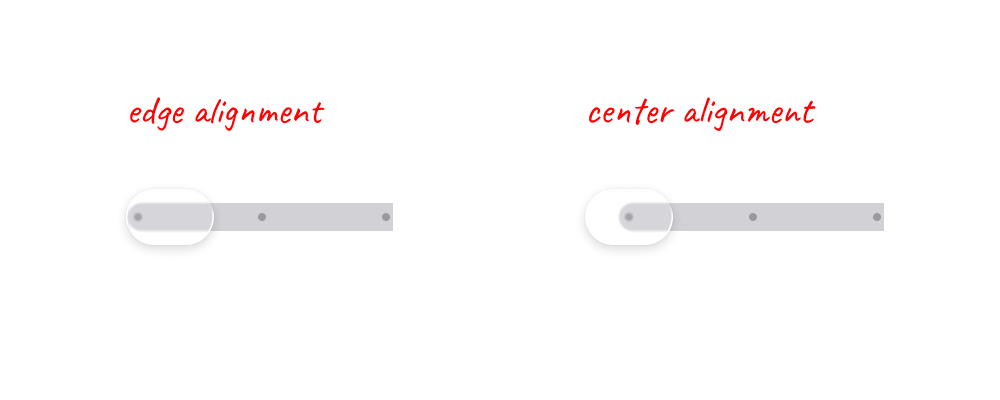
The handle’s center determines its value, so it should also line up with the ends of the track. At 0, half the handle hangs off the left edge. At 100, it hangs off the right. I initially had the whole handle sitting inside the track, which looked tidy but didn’t match how I expected it to move.
One of the more annoying problems was that the slider felt slightly jittery even when I dragged it slowly. The handle was moving between whole numbers, so every change from, say, 5 to 6 created a tiny jump. Separating the handle’s position from its value helped: the handle moves continuously, and the value rounds to whichever integer is closest.
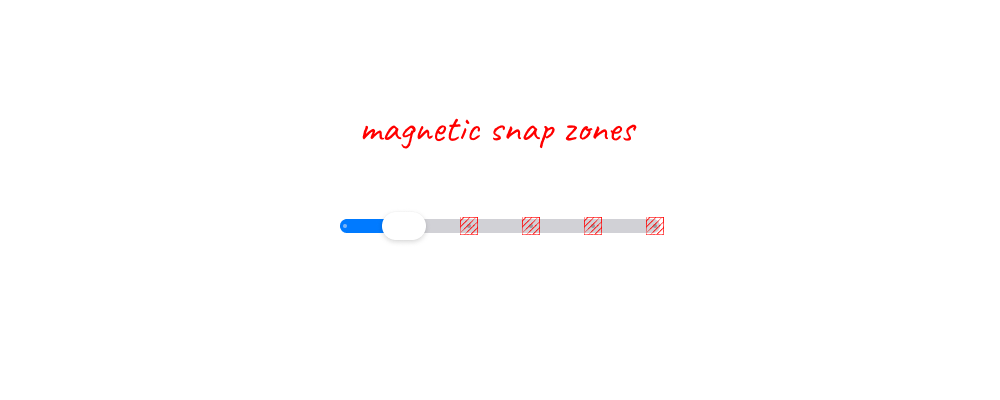
I like sliders that help you land on a value. Each tick has a small magnetic zone around it, so getting close is enough to pull the handle into place. I briefly smoothed this out while fixing the tooltip, but that removed most of the magnetic feeling. Some of that movement is intentional. The trick is keeping it around the ticks without making the entire track feel stepped.
The tick dots sit inside the track, underneath the handle. Their color changes depending on which side of the handle they’re on: a muted version of the selected color on the filled side, gray on the unfilled side. Keeping them light blue everywhere made them look disconnected from the track.
Dragging beyond either end squishes the handle toward that edge. The value stays at 0 or 100, but the handle still responds to the extra movement. It springs back when released. This is probably my favorite detail because it gives the boundary a physical feeling without needing to explain anything.
The handle also grows slightly when grabbed. It’s only an 8% increase, but that’s enough to acknowledge the press. I kept the tooltip outside this scaling so the text doesn’t grow and shrink with the handle.
The value tooltip is optional and off by default. When enabled, it appears above the handle while dragging and disappears on release. I like having the extra precision available without keeping another label floating above the slider all the time.
Inside the tooltip, each digit rolls like an odometer. JetBrains Mono gives the numbers a consistent rhythm, and the direction of the roll follows the value as it increases or decreases. Crossing from 9 to 10 or 99 to 100 is where the effect becomes most noticeable.
Getting that counter to feel stable took more work than adding the animation. Changing digit counts shifted the text sideways, and animating each column separately made the numbers stutter as they settled. The counter now reserves space for three digits and drives the rolls from one shared animation. The columns still move individually, but they arrive together.
These details should also respect reduced-motion preferences. The handle’s scaling and squish are suppressed, and the counter updates without rolling. The slider still communicates its value and responds to input; the extra movement is there for people who want it.